






















Flower Garden 2 - Play Online Management Game for Free
Test your observation skills in Flower Garden 2. Scour high-resolution floral scenes to find every hidden letter in this relaxing, free-to-play classic puzzle game.
A Sharp Eye in the Shrubbery
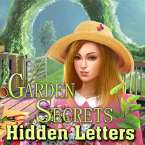
If you spent any time on web game portals back in the day, you’ll recognize the DNA of Flower Garden 2 immediately. It’s a pure, no-frills hidden object experience that trades flashy animations for genuine visual challenge. The game drops you into a series of dense, floral photography scenes where the alphabet has been meticulously camouflaged into the scenery.
What I appreciate about this sequel is that it doesn’t try to reinvent the wheel. It’s designed for those moments when you want to kill fifteen minutes by testing your focus. The gardens are vibrant and surprisingly tricky—don't be surprised if you find yourself staring at a rosebush for two minutes straight just trying to figure out if that’s a thorn or the edge of a hidden "K."
How to Play
The objective is simple on paper but tough in practice: locate all 26 letters of the alphabet hidden within the garden imagery. These aren't just bold letters sitting on top of the photo; they are semi-transparent, rotated, and tucked into the natural textures of petals, dirt, and leaves.
To succeed, you really have to change how you look at the image. Instead of looking at the flowers, you start looking for the unnatural curves of a "C" or the straight lines of an "H" hiding in the stems. Because the images are quite detailed, you’ll need to make frequent use of the zoom feature to investigate suspicious-looking shadows. There’s a certain satisfaction in clearing a stage after being stuck on that one final, elusive letter.
Controls
The interface is built to be accessible whether you're playing on a laptop or a touchscreen.
- PC/Desktop: Use your Mouse to click on letters. To get a closer look at the details, use a Long Click (hold the left mouse button) to toggle the zoom, allowing you to pan across the high-resolution image.
- Mobile/Tablet: Use standard Touch controls to tap the letters. You can use a Pinch-to-Zoom gesture to enlarge the garden beds, making it much easier to spot the smaller characters hidden in the foliage.