




















Circus Hidden Letters - Play Online Management Game for Free
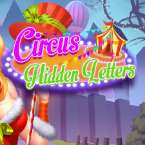
Step into the ring and test your eyes with Circus Hidden Letters. Find the entire alphabet hidden in high-detail circus scenes as fast as you can. Free to play online.
Precision Under the Big Top
There’s something inherently nostalgic about a circus setting, but Circus Hidden Letters swaps the popcorn and acrobatics for a serious test of your observation skills. This isn’t a game that lets you slide by with casual glances; it’s a dense, visually crowded "point-and-find" that hides the alphabet in the most devious places imaginable.
The art style captures that classic, slightly chaotic circus energy—bright colors, intricate patterns, and plenty of detail to get lost in. It feels like those old-school eye-spy books we used to obsess over, where the challenge comes from the sheer amount of visual noise. If you’re a fan of high-detail puzzles that demand your full attention, this one hits the spot.
How to Play
Your mission is to hunt down all 26 letters of the alphabet scattered across the circus grounds. While many games in this genre let you lounge around, this one pushes you to find them as fast as possible. The pressure of the clock adds a layer of tension that turns a simple search into a bit of a frantic race.
The letters are masterfully blended into the environment. You might find a "W" hiding in the folds of a tent or an "O" disguised as a wagon wheel. Because the scenes are so packed with detail, you can’t just click randomly—you need to be precise. Every time I play, I find myself second-guessing whether I’m looking at a piece of circus equipment or a cleverly camouflaged letter. It’s all about training your brain to ignore the clowns and animals and focus strictly on those alphabetical shapes.
Controls
The controls are tight, which is necessary when you're trying to beat the clock. The game supports both precision clicking and zooming for those particularly stubborn characters.
- Desktop Users: Use your Mouse to navigate. A standard Left-Click selects a letter. If a scene is too busy, a Long Click allows you to zoom in and out, helping you scan the smaller details of the big top.
- Mobile Users: Simply Tap on the letters as you spot them. You can use the standard Pinch-to-Zoom gesture to get a closer look at the corners of the screen, which is a lifesaver on smaller mobile displays.